
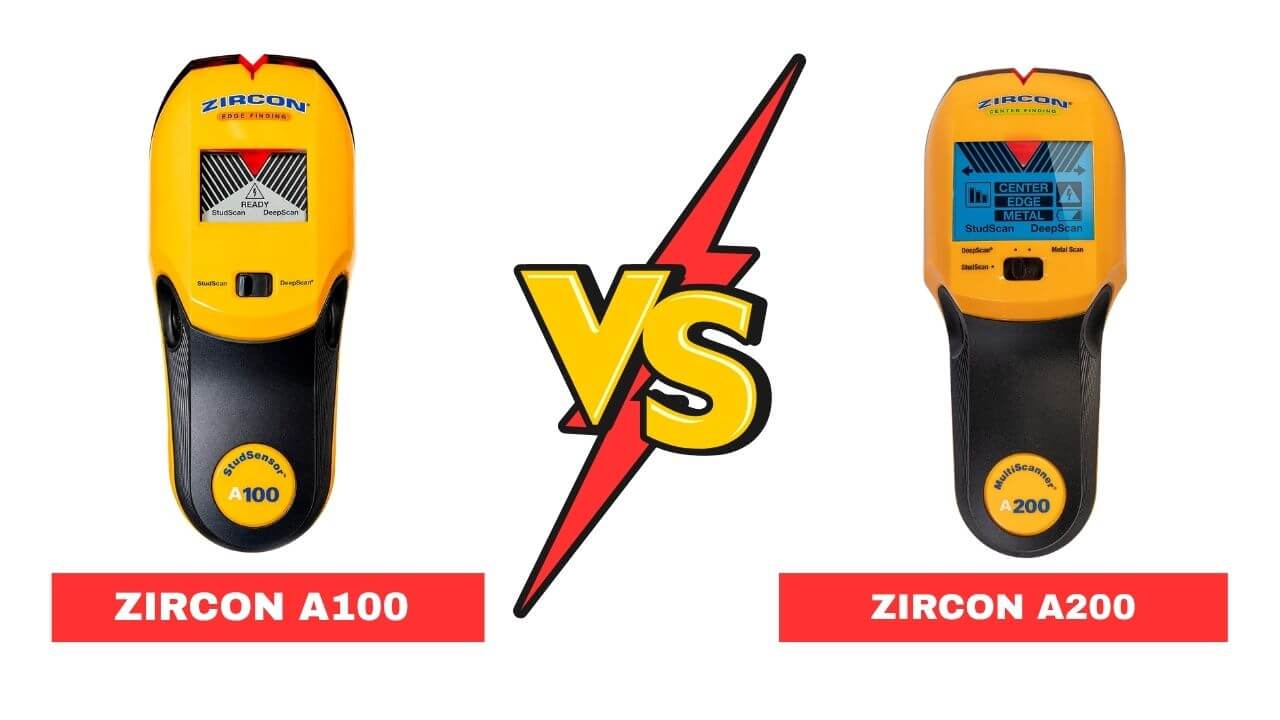
A wall job can look easy until the drill meets the wrong spot. That small mistake can waste time, damage a wall, or hit hidden wiring. The Zircon A100 vs A200 choice matters when you need the right scan for the job. This guide compares their key features, scan depth, and real-world use to help you pick the better fit.
Black Friday 2026
Black Friday Sale is LIVE! Don't miss out on today's deals.
Check Price on Amazon As an Amazon Associate I earn from qualifying purchases.Zircon A100 Review
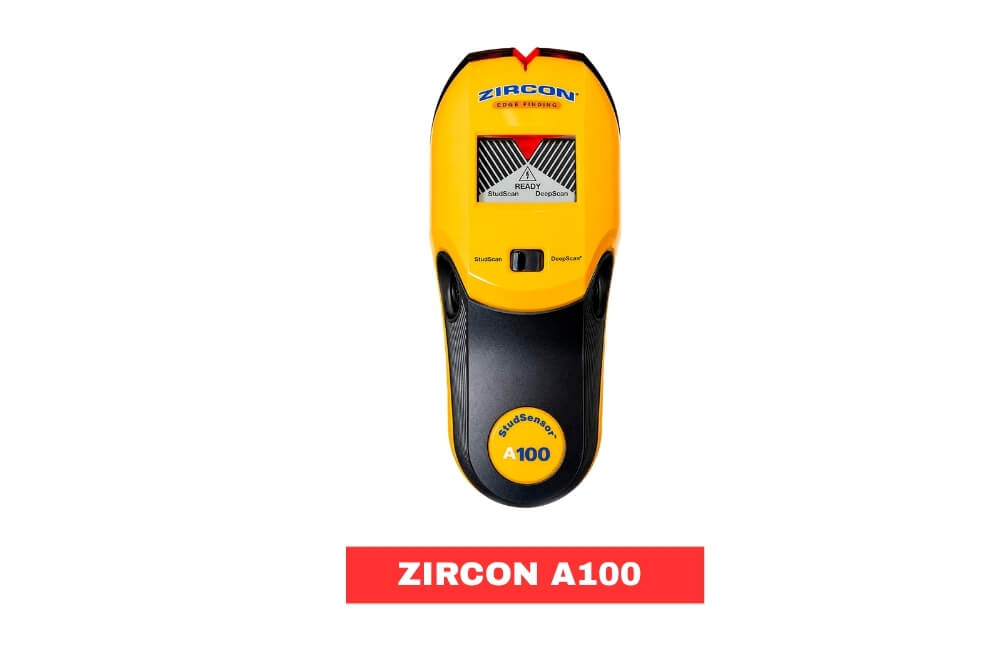
The A100 keeps the job simple. It is made to find stud edges behind a wall. It has StudScan and DeepScan modes, plus WireWarning detection for live, unshielded AC wiring.
Black Friday 2026
Black Friday Sale is LIVE! Don't miss out on today's deals.
Check Price on Amazon As an Amazon Associate I earn from qualifying purchases.Pros and Cons
The main strength is simple stud edge finding. The main limit is that it does not provide a dedicated stud center or Metal Scan mode.
Black Friday 2026
Black Friday Sale is LIVE! Don't miss out on today's deals.
Check Price on Amazon As an Amazon Associate I earn from qualifying purchases.| Type | Feature | Practical Impact |
|---|---|---|
| Pro | StudScan Mode | Finds wood or metal stud edges up to 19 mm deep. |
| Pro | DeepScan Mode | Finds stud edges up to 38 mm deep. |
| Pro | WireWarning | Helps detect live, unshielded AC wiring. |
| Pro | SpotLite Pointer | Shows the target area on the wall. |
| Con | Edge finding only | It does not locate the stud center. |
| Con | No Metal Scan | It lacks a dedicated metal scanning mode. |
Simple Wall Scanning
The A100 suits basic wall jobs well. A scan can show where a stud edge starts. The SpotLite pointer, LCD screen, and audio tone also help show the target.
DeepScan can help with thicker walls. Still, deeper scans may detect objects that are not studs. Scanning at several heights can help confirm the target before drilling.
Recommendation
The A100 works best when the task is mainly stud edge finding. It makes less sense when stud center finding or dedicated metal scanning is also needed.
| User Type | Recommendation | Reason |
|---|---|---|
| Basic DIY users | Good Fit | Simple stud edge scans cover common jobs. |
| Picture hanging | Good Fit | Stud edges help guide wall marks. |
| Light home work | Good Fit | Two scan modes cover common wall depths. |
| Metal scanning users | Not Ideal | No dedicated Metal Scan mode. |
| Center-finding users | Not Ideal | It locates edges, not the stud center. |
Zircon A200 Review
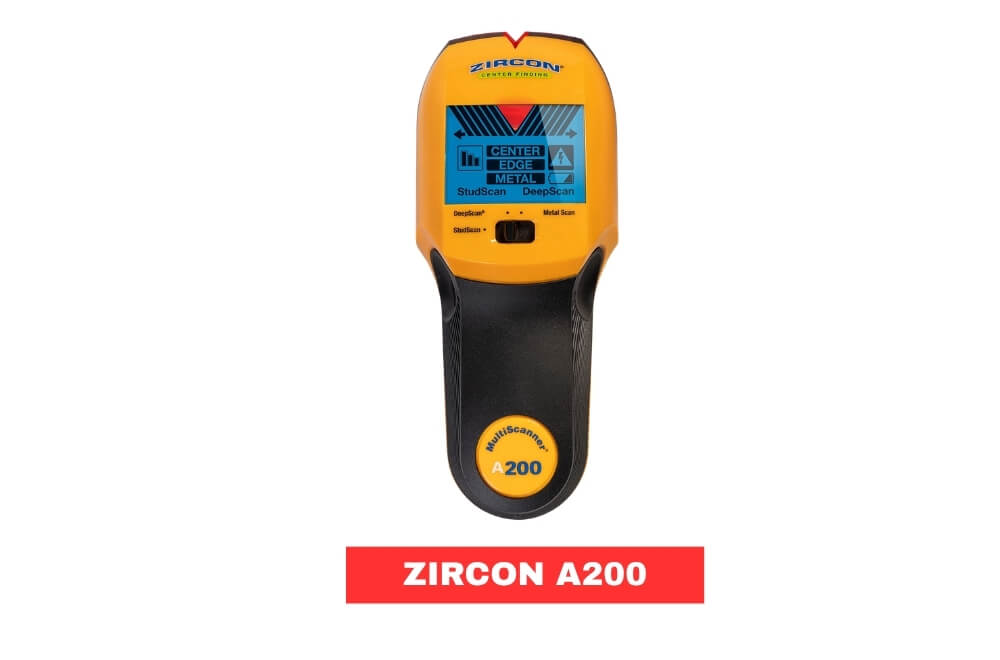
The A200 takes the same basic idea further. It can find stud edges, stud centers, and metal. It also adds a backlit LCD, signal strength help, Low Battery Indicator, and Auto Correcting Technology.
Pros and Cons
The extra modes make the A200 more useful for mixed wall work. That wider range also means more functions to learn.
| Type | Feature | Practical Impact |
|---|---|---|
| Pro | Center finding | Helps mark the middle of a stud. |
| Pro | Metal Scan | Finds metal targets behind walls. |
| Pro | DeepScan Mode | Finds stud centers, edges, and direction up to 38 mm deep. |
| Pro | Backlit LCD | Helps make the display easier to read. |
| Con | More modes | Takes more time to learn than a basic scanner. |
| Con | Heavier body | Weighs 230 g without the battery. |
More Than Stud Finding
The A200 can save time on mixed wall jobs. Center finding is useful when a screw needs a more precise spot. Metal Scan can also help locate metal targets behind a wall.
The A200 can detect non-ferrous metal, such as copper pipe, up to 38 mm deep. Ferrous metal, such as rebar, can be detected up to 75 mm deep in Metal Scan mode.
The backlit display is another useful touch. The Signal Strength Indicator can also help distinguish between shallow and deep targets. The wider feature set is useful, but simple jobs may not need every mode.
Recommendation
The A200 makes more sense when wall work goes beyond basic stud edge finding.
| User Type | Recommendation | Reason |
|---|---|---|
| DIY remodelers | Good Fit | Handles studs and metal in one tool. |
| Frequent wall work | Good Fit | More scan modes cover more jobs. |
| Center marking | Good Fit | Finds stud center, edges, and direction. |
| Simple picture hanging | Not Ideal | Extra features may not be needed. |
| Basic users wanting fewer controls | Not Ideal | The A100 has a simpler scan setup. |
Detailed Comparison for Zircon A100 vs A200
Both tools can find wood and metal studs. The real gap appears when the job needs more than edge finding.
Performance: Zircon A100 vs A200
The A100 focuses on stud edges. That makes it a simple choice for basic mounting work. The A200 adds center finding and Metal Scan, so it covers more wall tasks.
For deeper stud work, both offer DeepScan up to 38 mm. The A200 also adds a Signal Strength Indicator and dedicated center-finding function.
| Feature | A100 | A200 |
|---|---|---|
| Stud edges | Yes | Yes |
| Stud center | No | Yes |
| DeepScan | Up to 38 mm | Up to 38 mm |
| Metal Scan | No | Yes |
| Signal Strength Indicator | No | Yes |
A100 Rating: 8.5/10
A200 Rating: 9.5/10
Ease of Use: Zircon A100 vs A200
The A100 has two scan modes. That keeps the basic workflow simple. The main task is choosing the right mode and watching for the target.
The A200 has three scan modes. It can do more, but the extra options may take a little practice. ACT can also automatically recalibrate the scanner when needed and correct common errors.
| Feature | A100 | A200 |
|---|---|---|
| Scan modes | 2 | 3 |
| Edge finding | Yes | Yes |
| Center finding | No | Yes |
| Auto correction | Over-the-stud alert | ACT technology |
| Display | LCD | Backlit LCD |
A100 Rating: 9/10
A200 Rating: 9/10
Build Quality: Zircon A100 vs A200
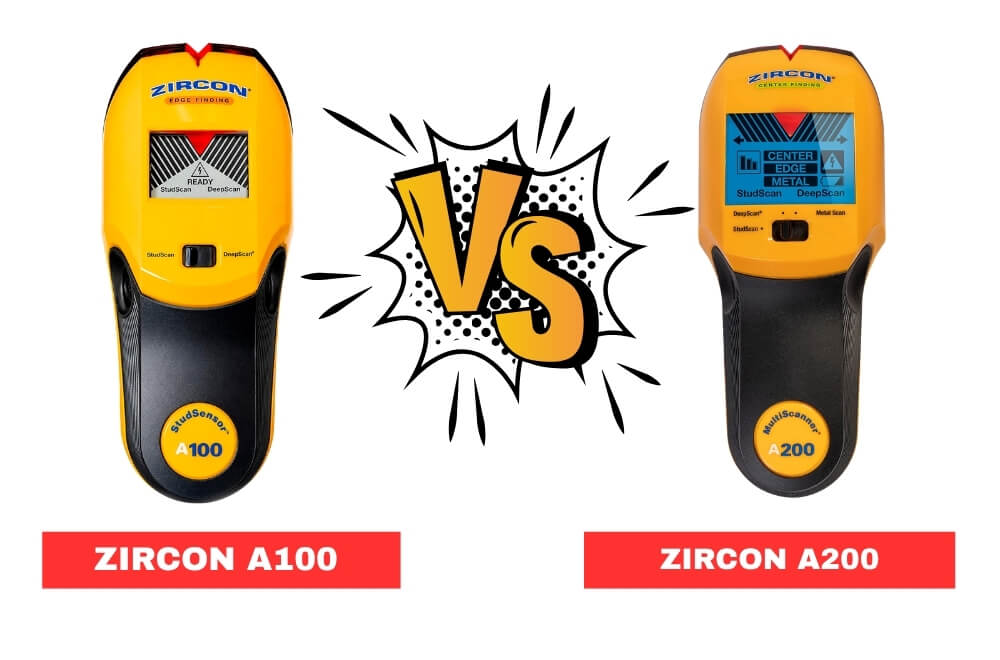
Both tools use an ergonomic grip and a translucent base with an illuminated V marker groove. The A100 is smaller and lighter at 136 g without the battery.
The A200 weighs 230 g without the battery and has a larger body. That extra size comes with more scanning functions and a wider feature set.
| Feature | A100 | A200 |
|---|---|---|
| Weight | 136 g | 230 g |
| Grip | Ergonomic | Ergonomic |
| Marker groove | Yes | Yes |
| Body size | More compact | Larger |
| Main design goal | Stud edge finding | Multi-purpose scanning |
A100 Rating: 9/10
A200 Rating: 9/10
Maintenance: Zircon A100 vs A200
Both tools use a 9V alkaline battery. The battery is not included with either tool. Fresh batteries help keep the scanner ready for normal use.
The A200 adds a Low Battery Indicator. This gives a clear warning when the battery needs replacement. The A100 has a simpler feature set, so there are fewer functions to manage.
| Feature | A100 | A200 |
|---|---|---|
| Battery | 9V alkaline | 9V alkaline |
| Low battery alert | No dedicated indicator listed | Yes |
| Recalibration help | Over-the-stud alert | ACT |
| Care level | Simple | Simple |
| Indoor wall scanning | Yes | Yes |
A100 Rating: 8.5/10
A200 Rating: 9.5/10
Value for Money: Zircon A100 vs A200
The A100 offers the core tools needed for stud edge finding. That can be enough for light home projects. The A200 adds center finding, Metal Scan, signal strength, and other useful features.
The better value depends on the job. A simple wall mount may not need every extra mode. A remodel or repair job can benefit from having more scan options in one tool.
| Feature | A100 | A200 |
|---|---|---|
| Basic stud work | Strong | Strong |
| Center finding | No | Yes |
| Metal detection | No dedicated mode | Yes |
| Extra scan help | Limited | More complete |
| Best value use | Simple jobs | Mixed wall jobs |
A100 Rating: 9/10
A200 Rating: 9.5/10
Conclusion
The A100 is the simpler pick for basic stud edge finding and light wall work. The A200 is the better fit when center finding, metal scanning, and extra scan feedback matter. For simple jobs, the A100 keeps things easy. For wider wall work, the A200 offers more scanning options.
FAQs
-
Is the A200 better than the A100?
The A200 is more capable. It adds stud center finding and a dedicated Metal Scan mode. The A100 is better suited to simple edge finding.
-
Can both tools find studs behind thick walls?
Yes. Both offer DeepScan. The rated DeepScan depth is up to 38 mm for wood and metal stud edges on the A100 and for center, edge, and direction finding on the A200.
-
Can the A100 find metal?
The A100 can find wood and metal stud edges. It does not have the dedicated Metal Scan mode found on the A200.
-
Does the A200 find the center of a stud?
Yes. Its StudScan and DeepScan modes can locate the center, edges, and direction of wood and metal studs.
-
Can either tool detect live wires?
Yes. Both include WireWarning detection for live, unshielded AC wiring. The official specifications list detection up to 50 mm deep in supported scanning modes.
Official References
- A100 official specifications — Zircon StudSensor A100
- A200 official specifications — Zircon MultiScanner A200
- A100 official instructions — A100 Instructions
- A200 official data sheet — A200 Data Sheet
- A-Series comparison — A-Series Comparison