
A wall can look fine. A pipe can look fine. A circuit can look fine. But heat can hide inside. A thermal camera finds this heat. It works without touching anything.
Black Friday 2026
Black Friday Sale is LIVE! Don't miss out on today's deals.
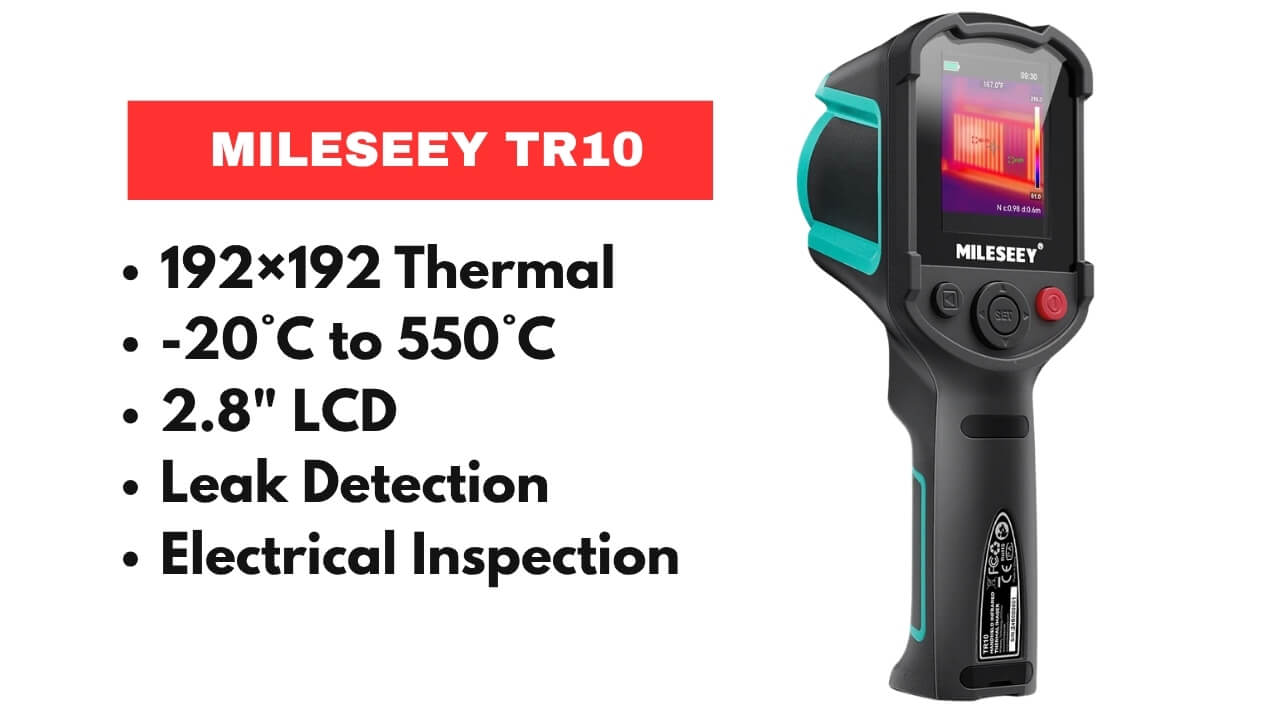
Check Price on Amazon As an Amazon Associate I earn from qualifying purchases.The Mileseey TR10 is a handheld thermal imager. It helps with many jobs. Use it for equipment checks. Use it for floor heating. Use it for electrical work. Use it for car checks. Use it for pipe checks. Use it for electronic parts.
The TR10 has a 192 × 192 infrared sensor. It has a 2.8-inch LCD screen. Its field of view is 50° × 50°. It reads heat from -20°C to 550°C. This guide covers its key features. It also covers its uses, limits, and common mistakes.
Black Friday 2026
Black Friday Sale is LIVE! Don't miss out on today's deals.
Check Price on Amazon As an Amazon Associate I earn from qualifying purchases.What Makes the Mileseey TR10 Useful for Thermal Inspection?
The TR10 handles basic thermal checks well. It shows heat right on its own screen. You don’t need a phone to view it.
Black Friday 2026
Black Friday Sale is LIVE! Don't miss out on today's deals.
Check Price on Amazon As an Amazon Associate I earn from qualifying purchases.| Feature | Mileseey TR10 |
|---|---|
| Thermal resolution | 192 × 192 |
| Display | 2.8-inch LCD |
| Temperature range | -20°C to 550°C |
| Field of view | 50° × 50° |
| Frame rate | 25 Hz |
The sensor packs in 36,864 thermal pixels. This lets you see heat change across a surface.
The wide view covers a lot of ground. Official specs list a range of 0.3 to 3 meters.
Mileseey TR10 Thermal Resolution and Image Detail
Resolution controls how much heat detail you see. The TR10 uses a 192 × 192 sensor.
Is 192 × 192 Enough for Home and Equipment Checks?
For most basic checks, yes. You can scan walls. You can scan pipes. You can scan heating zones. You can scan electrical parts and machine parts too.
| Inspection | What to Look For |
|---|---|
| Electrical panel | Hot connections or uneven heat |
| Floor heating | Warm and cool zones |
| Pipe | Temperature changes |
| Electronics | Unusual hot parts |
A thermal scan is not a full check. Small parts look less clear from far away. Move closer for more detail.
How Accurate Is the Mileseey TR10?
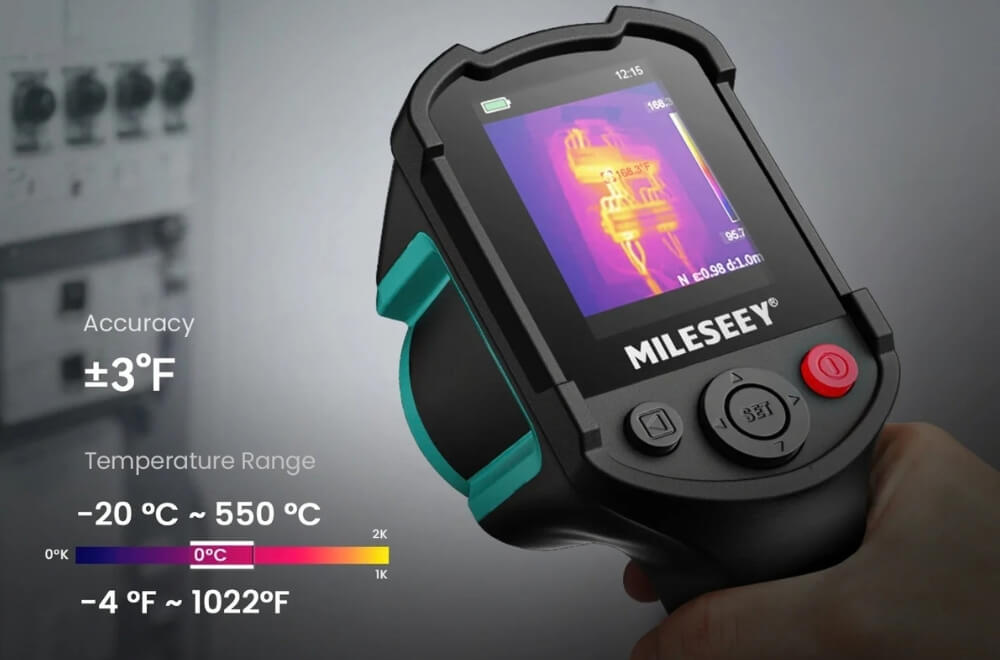
Official specs list an accuracy of ±2°C or ±2%. The real reading can shift. Surface type and test conditions both play a role.
A few things throw off a reading.
| Factor | Why It Matters |
|---|---|
| Surface finish | Shiny surfaces can reflect heat |
| Distance | Small targets are harder to read |
| Emissivity | Materials give off heat in different ways |
| Viewing angle | Reflections can skew the result |
The TR10 lets you adjust emissivity. This helps when you check different materials.
Treat the thermal image as a clue. It is not proof on its own. Don’t trust one reading alone.
Where Can the Mileseey TR10 Be Used?
The TR10 fits many jobs. Official info lists six main uses. These are equipment maintenance, floor heating checks, electrical diagnosis, car maintenance, pipeline detection, and electronic part checks.
Electrical and Electronic Checks
Check Price on AliExpress
A thermal camera shows heat your eyes miss. One wire may run hotter than the rest. You can then test that spot with the right tool.
The TR10 does not replace a multimeter. A thermal camera shows heat patterns. A multimeter measures electrical values.
Floor Heating and Pipeline Checks
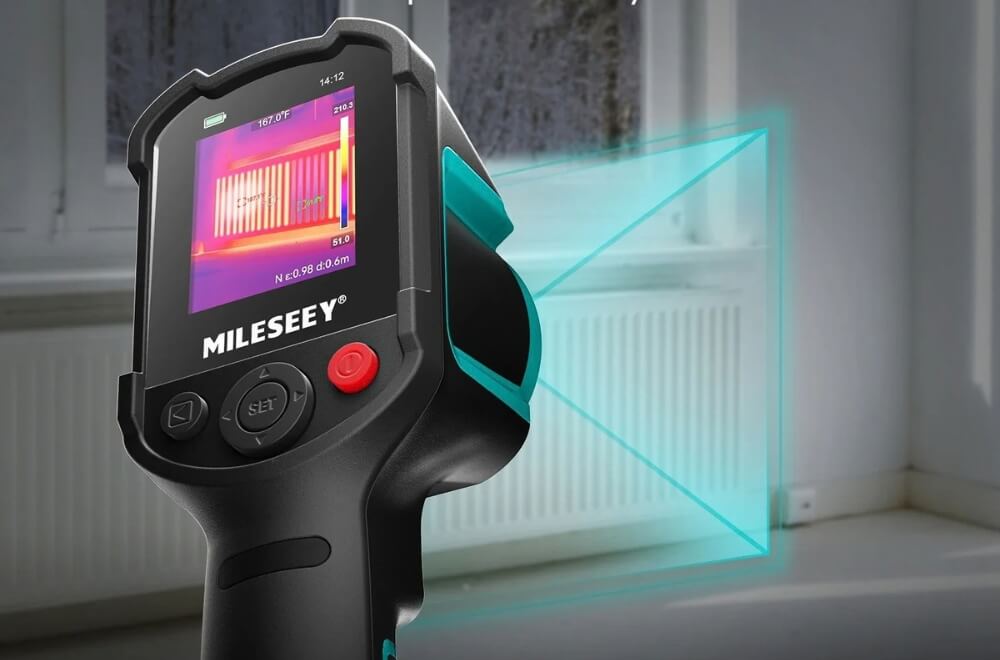
Warm pipes create heat patterns. Floor heating does too. The wide view helps you scan more space at once.
| Task | Useful TR10 Feature |
|---|---|
| Floor heating | Wide thermal view |
| Pipeline checks | Temperature contrast |
| Wall inspection | Hot and cold spot tracking |
| Equipment checks | Wide temperature range |
A thermal camera shows where heat changes. It may not show the cause. You may still need another test.
Mileseey TR10 Temperature Range and Hot Spot Tracking
The TR10 reads from -20°C to 550°C. This covers cool surfaces. It also covers hot equipment.
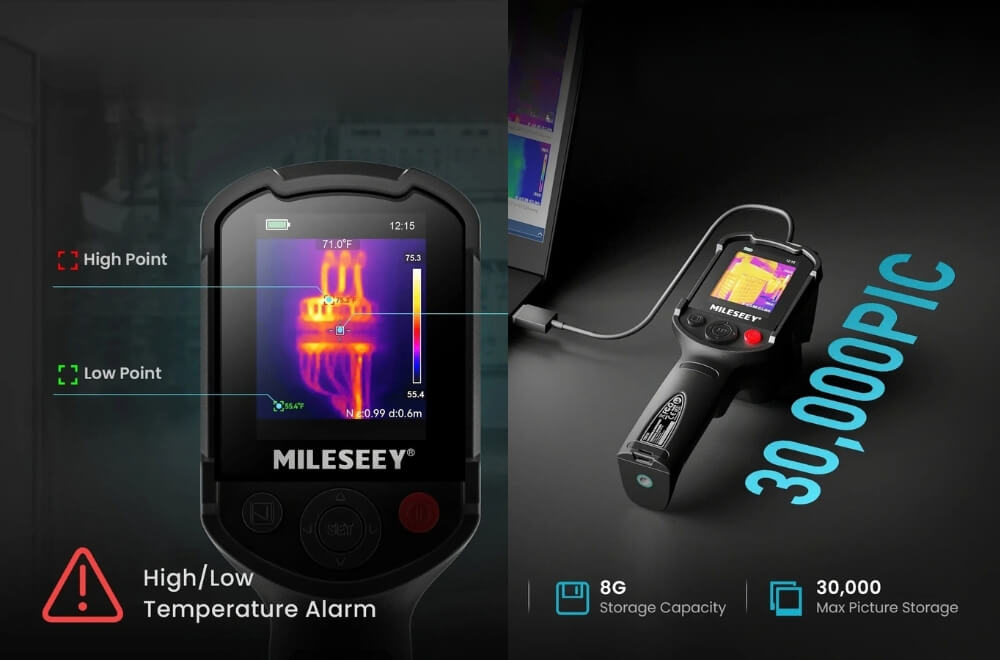
The camera tracks center, hot-spot, and cold-spot readings. These tools find the warmest or coolest spot on screen.
Why Hot and Cold Spots Matter
One number does not tell the full story. A hot spot shows where heat sits the most.
| Reading | Practical Use |
|---|---|
| Center spot | Check a chosen area |
| Hot spot | Find the warmest visible area |
| Cold spot | Find the coolest visible area |
This helps with electrical checks. It helps with machine parts too. A heat gap between spots can flag a problem.
What Does the Mileseey TR10 Display Show?
The TR10 has a 2.8-inch LCD. The screen resolution is 240 × 240. It offers eight color modes.
Each color mode shows heat in a new way.
| Palette Type | Typical Use |
|---|---|
| White Hot | Simple heat contrast |
| Black Hot | Alternative heat view |
| Rainbow | Strong color contrast |
| Iron | Heat pattern viewing |
The modes are White Hot, Black Hot, Red Hot, Rainbow, Blue Hot, Green Hot, Blend, and Iron.
Color does not change the reading. It just changes how heat looks on screen.
Mileseey TR10 Battery, Storage, and Daily Use
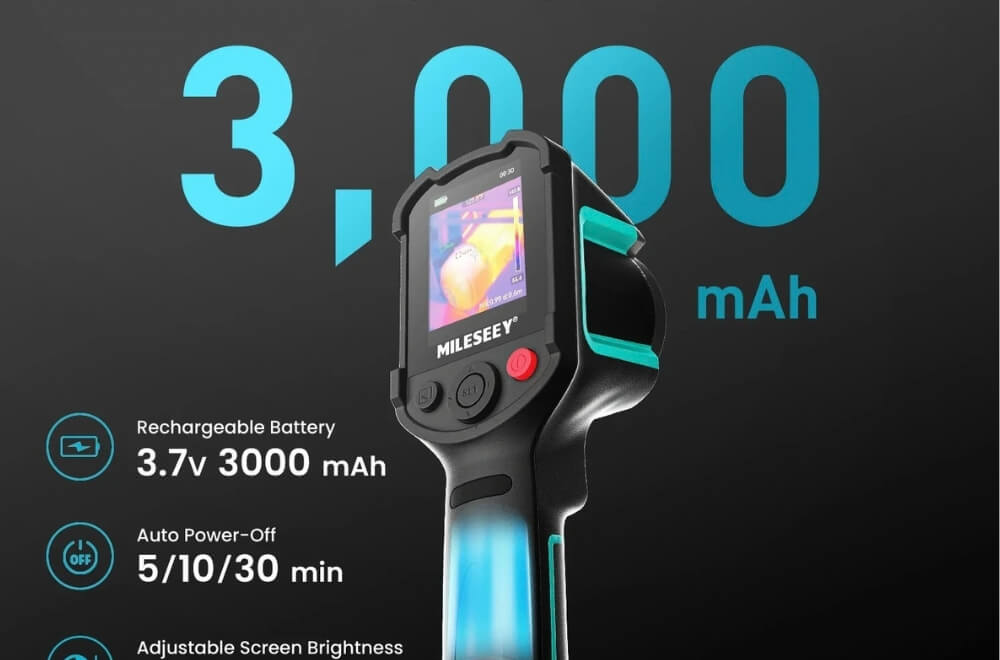
The TR10 has a built-in 3,000 mAh battery. It lasts up to eight hours per charge.
The product page also lists 8GB storage. That fits over 30,000 pictures. Support material lists different numbers, so check the product page first.
| Item | TR10 Specification |
|---|---|
| Battery | 3,000 mAh rechargeable lithium |
| Runtime | Up to 8 hours |
| Storage | 8GB listed on product page |
| Charging | USB-C |
The camera weighs about 345 g. It measures 224 × 76 × 91 mm. It is a handheld tool, not a phone add-on.
The box includes the camera, a lanyard, a manual, and a data cable.
Check the seller listing before you buy. AliExpress may also carry this model. Stock can vary by seller.
Common Mileseey TR10 Mistakes to Avoid
Thermal cameras look easy to use. But good readings still take some care.
Don’t Measure Shiny Surfaces Without Care
Shiny metal can reflect heat from nearby objects. This can throw off your reading.
Don’t Stand Too Far Away
The official range is 0.3 to 3 meters. Small targets get hard to read past that.
| Common Mistake | Better Approach |
|---|---|
| Measuring a tiny part from far away | Move closer |
| Trusting one temperature value | Compare nearby areas |
| Ignoring surface type | Check emissivity |
| Treating color as temperature | Read the actual number |
Many users assume a hot color means danger. That’s not always true. The color is just a display choice. Check the number instead.
Can the Mileseey TR10 Detect Leaks?
The TR10 can help find some leaks. This works when a leak causes a clear heat change.
A warm pipe under a floor may leave a warm path on top. A cool spot can also form under the right conditions.
But thermal imaging can’t see through walls. It can’t see through floors either. It only reads surface heat.
| Situation | Thermal Camera Result |
|---|---|
| Warm pipe under surface | May show a warm pattern |
| Hidden water with heat difference | May show a cool or warm area |
| Leak with no heat contrast | May be hard to detect |
A heat pattern is a starting point. It does not prove the exact cause of a leak.
Mileseey TR10 Care and Maintenance
The lens needs care. Dirt and fingerprints can hurt the image. So can scratches.
Use a dry microfiber cloth to clean it. Don’t touch the lens with your fingers. Skip solvents too.
Keep the camera within its limits. The stated range runs from -10°C to 50°C.
| Maintenance Step | Why It Helps |
|---|---|
| Clean lens with microfiber | Keeps the image clear |
| Avoid solvents | Protects the lens |
| Store in a dry place | Cuts moisture risk |
| Charge before long jobs | Avoids work interruptions |
The product page lists IP54 protection. It also lists a 1.5 m drop test. These help with normal use. They don’t make the camera waterproof.
Mileseey TR10: Key Specifications at a Glance
Check Price on AliExpress
Here’s a quick look at the full spec sheet.
| Specification | Mileseey TR10 |
|---|---|
| IR resolution | 192 × 192 |
| Temperature range | -20°C to 550°C |
| Thermal sensitivity | ≤50 mK |
| Field of view | 50° × 50° |
| Frame rate | 25 Hz |
| Display | 2.8-inch, 240 × 240 LCD |
| Battery | 3,000 mAh |
| Weight | 345 g |
The TR10 has a wide view. It has adjustable emissivity too. Hot and cold spot tracking rounds out the toolset. Its wide range covers most basic checks.
It fits less well for tiny targets at long range. It may also not suit jobs that need advanced reports.
Frequently Asked Questions About Mileseey TR10
What is the Mileseey TR10 used for?
It’s a handheld thermal camera. Use it for equipment checks, floor heating, electrical work, car checks, pipe checks, and electronic parts.
What temperature range does the Mileseey TR10 support?
It reads from -20°C to 550°C. This comes from official product info.
Does the Mileseey TR10 connect to a phone?
No. It skips Wi-Fi and Bluetooth. It has no mobile app. It works alone with its own screen. It does support Windows software, though.
Does the Mileseey TR10 save thermal pictures?
The product page lists 8GB storage. That fits over 30,000 pictures. Support material shows different numbers. Check the product page to confirm.
Is the Mileseey TR10 suitable for leak detection?
It can spot heat patterns tied to some leaks. It can’t see through walls. It can’t prove a leak alone. You may need more tests.
Final Thoughts
The Mileseey TR10 works well for simple thermal jobs. It offers a 192 × 192 sensor and a wide 50° × 50° view. Its range runs from -20°C to 550°C. It also has adjustable emissivity and spot tracking.
Use the thermal image as a clue, not a final answer. Check the distance first. Check the surface type. Check nearby temperatures too. This helps you catch heat problems a normal camera would miss.