
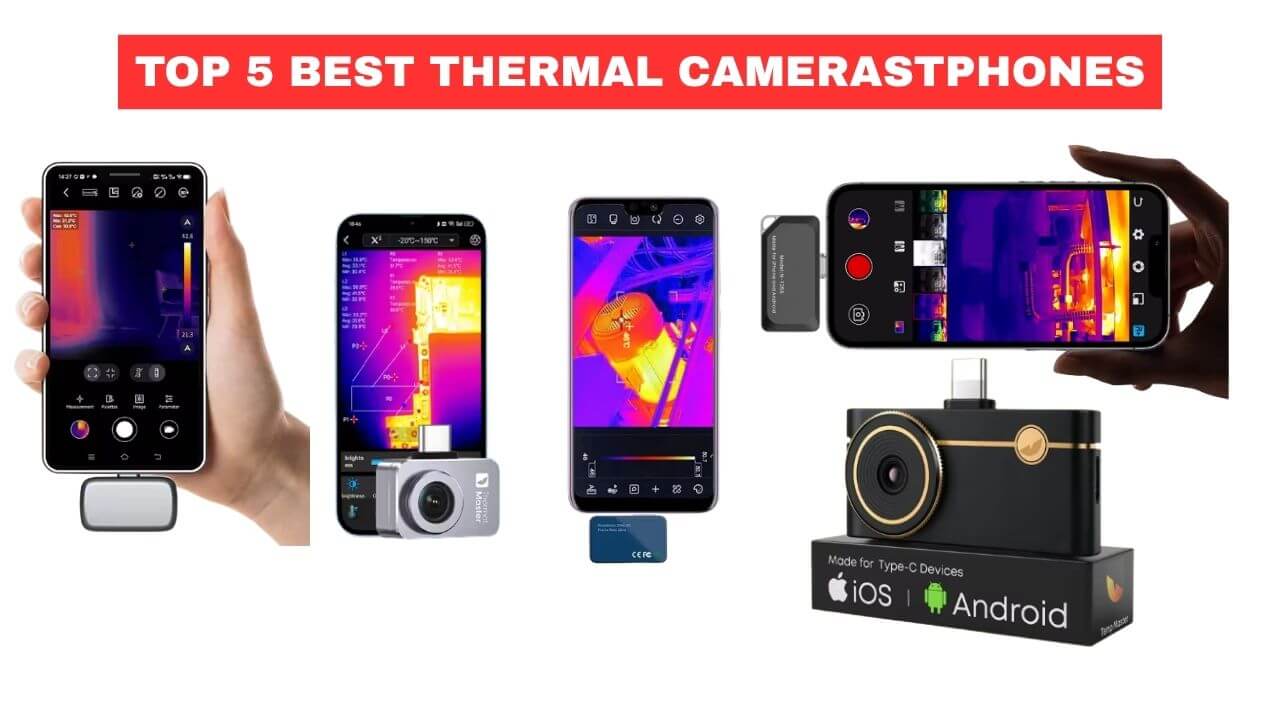
A phone thermal camera helps you find heat that you cannot see. It can help with wires, HVAC, pipes, homes, and small electronic parts. But phone thermal cameras do not all give the same image detail, heat range, or phone support.
Black Friday 2026
Black Friday Sale is LIVE! Don't miss out on today's deals.
Check Price on Amazon As an Amazon Associate I earn from qualifying purchases.The Top 5 Best Thermal Cameras for Smartphones below compare five current models from the supplied list. The key points are sensor size, heat range, frame rate, phone support, macro tools, size, and use. The goal is simple: help you pick a camera that fits the job.
Best Overall: Thermal Master P2 Pro
The Thermal Master P2 Pro has a good mix of size, detail, heat range, and phone support. It uses a 256 × 192 thermal sensor. It also has a 25Hz frame rate and a -20°C to 600°C range.
Black Friday 2026
Black Friday Sale is LIVE! Don't miss out on today's deals.
Check Price on Amazon As an Amazon Associate I earn from qualifying purchases.The P2 Pro weighs about 9g. That makes it very small and easy to carry. It works with Android and iOS versions. The right connector must be chosen for the phone. Its main limit is the sensor size. The native sensor is 256 × 192, not 512 × 384.
Black Friday 2026
Black Friday Sale is LIVE! Don't miss out on today's deals.
Check Price on Amazon As an Amazon Associate I earn from qualifying purchases.Pros And Cons
The P2 Pro puts many useful tools in a very small body. Here are the main points to know.
| Feature | Pro | Con |
|---|---|---|
| Resolution | 256 × 192 sensor | Not native 512 × 384 |
| Temperature Range | -20°C to 600°C | Setup still matters |
| Frame Rate | 25Hz | Uses phone power |
| Size | About 9g | Very small body |
| Phone Support | Android and iOS versions | Connector must match |
Recommendation
The P2 Pro fits users who want a small thermal camera for electrical checks, HVAC work, home checks, pipes, cars, and electronics. The 256 × 192 sensor gives useful heat detail while keeping the camera small.
It is not the best fit for very small PCB parts. Users who need a manual-focus macro lens may prefer the P3.
Best for: Users who want a small all-around smartphone thermal camera
Not ideal for: Users who need advanced manual-focus PCB work
Best Premium: Thermal Master P3
The Thermal Master P3 is made for close and detailed checks. It uses a 256 × 192 VOx sensor. It can also give a 512 × 384 X³IR Super Resolution image.
The P3 has a manual-focus macro lens. It also has 15X digital zoom and a 25Hz frame rate. Its heat range is -20°C to 600°C. It works with Android, iPhone, iPad, and PC devices. The main trade-off is simple. Its extra tools may not be needed for basic heat checks.
Pros And Cons
The P3 gives more control for close work. That can help with small parts. It also means there are more settings to use.
| Feature | Pro | Con |
|---|---|---|
| Native Resolution | 256 × 192 VOx sensor | 512 × 384 is enhanced output |
| Macro Lens | Manual focus | Needs more setup |
| Temperature Range | -20°C to 600°C | Not needed for every job |
| Digital Zoom | Up to 15X | Zoom does not add sensor pixels |
| Compatibility | Android, iOS, PC | Phone setup must be checked |
Recommendation
The P3 fits PCB checks, electrical work, HVAC checks, car checks, and other close thermal work. The manual-focus lens can help when the heat source is very small.
Users who only need to find hot or cold areas may not need all these tools. A smaller and simpler model may be a better fit for walls, pipes, and home checks.
Best for: PCB repair and close thermal checks
Not ideal for: Users who only need basic heat checks
Best Android Option: TOOLTOP T7
The TOOLTOP T7 uses a 256 × 192 infrared sensor. It has a 25Hz frame rate. Its listed heat range is -15°C to 600°C.
The T7 can check point and area temperatures. It can also show high and low heat points. The T7 is made for Android phones with USB-C. It does not support iPhone or desktop use. This is the first thing Android buyers should check.
Pros And Cons
The T7 focuses on the main thermal tools. It keeps the design small while offering 256 × 192 detail.
| Feature | Pro | Con |
|---|---|---|
| Resolution | 256 × 192 | No native 512 × 384 sensor |
| Frame Rate | 25Hz | Uses phone power |
| Temperature Range | -15°C to 600°C | Setup affects readings |
| Measurements | Point, area, high and low | Fewer advanced tools |
| Compatibility | Android USB-C | No iPhone support |
Recommendation
The T7 fits Android users who need thermal checks for wires, HVAC units, pipes, tools, and other equipment. Its 25Hz frame rate can also help when the phone is moving.
iPhone users should choose another model. The Android-only design is the main limit.
Best for: Android users who want 256 × 192 thermal imaging
Not ideal for: iPhone users
Best For Phone Compatibility: Nohawk T-256
The Nohawk T-256 uses a 256 × 192 real thermal image. It can also give a 512 × 384 Super Resolution image. It has a 25Hz refresh rate and 15X digital zoom.
The listed heat range is -20°C to 450°C. The model supports iOS and Android devices. Its 450°C limit is lower than the 600°C range found on some other models in this list.
Pros And Cons
The T-256 gives good sensor detail and wide phone support. Its lower heat limit is the main trade-off.
| Feature | Pro | Con |
|---|---|---|
| Thermal Resolution | 256 × 192 real image | 512 × 384 is Super Resolution |
| Refresh Rate | 25Hz | Uses phone power |
| Digital Zoom | Up to 15X | Zoom does not add pixels |
| Phone Support | iOS and Android | Connector must be checked |
| Temperature Range | -20°C to 450°C | Lower than 600°C models |
Recommendation
The T-256 fits users who want a small camera for home checks, HVAC work, electrical checks, and car checks. Its support for iOS and Android can also make it useful in homes with different phone types.
It is not a good match for jobs that often go above 450°C. A 600°C model is a better fit for those jobs.
Best for: Users who need iOS and Android support
Not ideal for: High-heat checks above 450°C
Best For Basic Inspection: GOYOJO GW192A
The GOYOJO GW192A lists a 192 × 192 thermal image size. It also has a 50° field of view and a -20°C to 400°C heat range.
The smaller sensor gives less detail than the 256 × 192 models. Still, it can work well for larger areas. Walls, pipes, HVAC units, and electrical gear are examples.
Pros And Cons
The GW192A keeps the main thermal tools simple. Its lower sensor size and heat limit are the main trade-offs.
| Feature | Pro | Con |
|---|---|---|
| Resolution | 192 × 192 listed | Less detail than 256 × 192 |
| Field Of View | 50° wide view | Small targets may need closer checks |
| Temperature Range | -20°C to 400°C | Lower than 600°C models |
| Phone Support | Android and iOS versions | Connector must match |
| Size | Compact design | Fewer advanced tools |
Recommendation
The GW192A fits users who need basic heat checks around the home. It can also suit HVAC, plumbing, electrical gear, and car checks. Its wide view can help when checking larger areas.
Users who work on small electronic parts should look at a 256 × 192 model. More sensor pixels can help with small targets.
Best for: Basic home, HVAC, plumbing, and electrical checks
Not ideal for: Detailed PCB inspection
Comparison Snapshot
The five cameras serve different needs. The main gaps are sensor size, heat range, phone support, and focus tools.
| Product | Best For | Key Trade-Off |
|---|---|---|
| Thermal Master P2 Pro | All-around mobile use | No manual-focus macro lens |
| Thermal Master P3 | PCB and close work | More tools than basic users need |
| TOOLTOP T7 | Android checks | Android-only |
| Nohawk T-256 | iOS and Android | 450°C maximum |
| GOYOJO GW192A | Basic checks | Lower thermal resolution |
How These Products Were Selected
The five supplied models were checked by their listed specs and product manuals. The main points were sensor size, frame rate, heat range, phone support, field of view, focus, and thermal tools.
Manufacturer data was used for key specs when available. Product manuals and current product details were also checked. Review data was used only when it helped explain a clear product difference.
No lab test was done for this article. Prices were not used as fixed ranking points. Marketplace prices can change by seller, region, coupon, and time.
| Evaluation Factor | Why It Matters |
|---|---|
| Native Resolution | Shows real sensor detail |
| Temperature Range | Shows the listed heat limits |
| Frame Rate | Helps with moving targets |
| Phone Compatibility | Helps avoid phone and connector issues |
| Focus System | Helps with small targets |
| Field Of View | Shows how much of the scene fits |
| Inspection Features | Helps with heat checks |
Common Buying Mistakes
A thermal image can look good on a phone screen. But the screen is not the only thing that matters. The sensor, lens, phone support, and heat range also matter.
| Mistake | Better Approach |
|---|---|
| Treating Super Resolution as native resolution | Check the real sensor size |
| Ignoring phone support | Check Android, iOS, USB-C, and Lightning |
| Choosing only by heat range | Match the range to the job |
| Assuming digital zoom adds detail | Treat zoom as image enlargement |
| Ignoring focus needs | Use macro or manual focus for small targets |
What Thermal Resolution Should You Choose?
A 192 × 192 sensor can work well for larger targets. Walls, pipes, HVAC units, and electrical panels may not need very high sensor detail.
A 256 × 192 sensor gives more heat pixels. That can help when the target is small. It can also help when a heat pattern needs more detail.
Super Resolution is not the same as native sensor size. A camera can turn a 256 × 192 image into a larger 512 × 384 image. This can make the image look larger or clearer. It does not make the real sensor a native 512 × 384 sensor.
Does A Smartphone Thermal Camera See Through Walls?
No. A thermal camera does not normally see through walls.
It reads heat from a surface. For example, a hot pipe behind a wall may make part of the wall warmer. The camera can show that warm area.
The camera does not see the pipe itself. Surface type, distance, heat, and other conditions can affect the result.
Is 25Hz Good For A Smartphone Thermal Camera?
A 25Hz frame rate can make moving heat scenes look smoother. It can help when checking tools, pipes, cars, or electrical gear while the phone is moving.
Frame rate is not the only factor that affects an image. Sensor size, NETD, lens type, focus, field of view, and heat settings also matter.
Conclusion
The Thermal Master P2 Pro is a good fit for users who want a very small phone thermal camera. It has a 256 × 192 sensor, 25Hz imaging, and a -20°C to 600°C range. The Thermal Master P3 is better for close PCB work. It adds a manual-focus macro lens and 512 × 384 Super Resolution.
The TOOLTOP T7 fits Android users. The Nohawk T-256 gives iOS and Android support with a 256 × 192 real image. The GOYOJO GW192A is aimed at basic checks. The right choice depends on the phone, target size, heat range, and detail needed.
FAQs
1. What Is The Best Thermal Camera For A Smartphone?
The Thermal Master P2 Pro has a good mix of size, detail, heat range, and phone support. It uses a 256 × 192 sensor and has a -20°C to 600°C range.
2. Is 256 × 192 Good For A Thermal Camera?
Yes. A 256 × 192 sensor can give useful detail for electrical work, HVAC checks, home checks, car checks, and other jobs. Small targets also depend on the lens, focus, distance, and view.
3. Is 512 × 384 Better Than 256 × 192?
A real 512 × 384 sensor has more sensor pixels than a 256 × 192 sensor. But some phone cameras create a 512 × 384 image with Super Resolution. That is not the same as having a native 512 × 384 sensor.
4. Can These Thermal Cameras Work With iPhones?
Some can. The P2 Pro, P3, Nohawk T-256, and GW192A have iOS versions or setups. The TOOLTOP T7 is made for Android and does not support iPhone devices.
5. Which Thermal Camera Is Good For PCB Repair?
The Thermal Master P3 is the most focused choice in this list for PCB work. It has a manual-focus macro lens, a 256 × 192 native sensor, and 512 × 384 Super Resolution. It also has tools made for close electronics checks.
Authoritative References
TOOLTOP Official Thermal Imagers — current TOOLTOP product-store information.
Thermal Master P2 Pro Official Product Page — P2 Pro resolution, macro, compatibility, and product details.
Thermal Master P3 Official Product Page — P3 sensor, Super IR, temperature range, macro lens, and compatibility.
GOYOJO GW340/GW192A Official Product Page — GW192A specifications and application details.
Nohawk T-256 Series Manual — T-256 resolution, refresh rate, temperature range, and super-resolution details.