
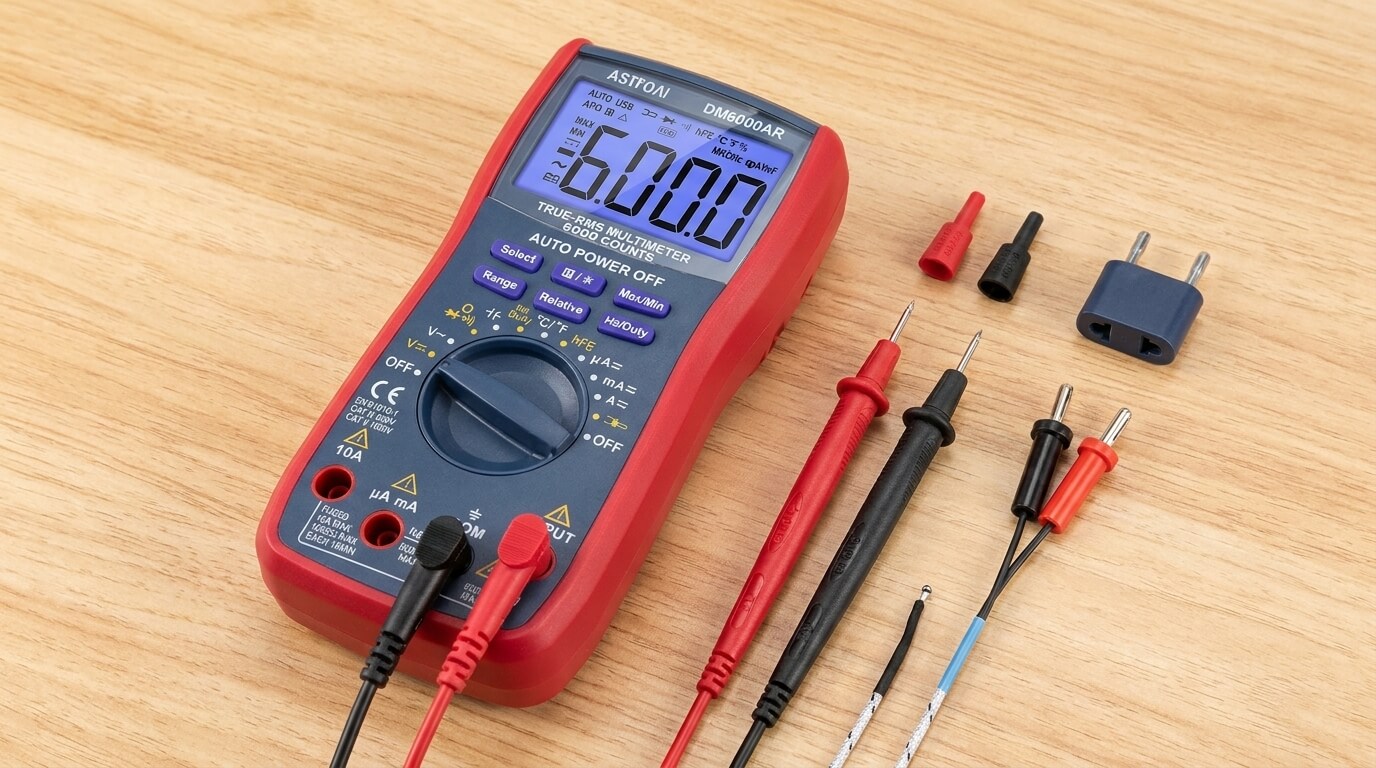
Need a meter for home or car checks? This AstroAI Digital Multimeter Review looks at the DM6000AR.
We cover the screen, True RMS readings, test modes, and safety limits. You will see what this meter can do, where it stops, and if it fits your job.
Core Specs in This AstroAI Digital Multimeter Review
Check the meter’s limits before each test. The AstroAI DM6000AR User Manual shows a 6000-count screen. It updates two times each second.
| Feature | Specification |
| Display and Ranging | Backlit 6000-count LCD; auto and manual range |
| Voltage and CAT Limits | Up to 750V AC and 1000V DC (CAT II); up to 600V (CAT III) |
| AC/DC Current | Up to 10A; manual range only |
| Resistance | Up to 60MΩ |
| Capacitance | Up to 20mF, per the manual |
| Temperature | K-type heat probe input; check the manual for limits |
| Current Input Fuses | F500mA/600V (or 400mA on some versions) and F10A/600V; verify with your manual and old fuse |
| Power Supply | One 9V 6F22 battery |
Note: Specs can change by model year. Check your box and manual before you test heat or swap a fuse.
How True RMS and 6000 Counts Help Your Tests
AC power moves in waves. Some home tools make rough, uneven waves. Basic meters can read these uneven waves wrong.
True RMS can improve AC readings on some waveforms, within the meter’s stated limits. The wave speed must stay within the meter’s limits of 40Hz to 400Hz.
A 6000-count screen shows numbers up to 5,999 before the dot moves. This gives you finer detail than a basic 2000-count screen. Still, more counts do not always mean the meter is more exact.
| Feature | AstroAI DM6000AR | Basic 2000-Count Meter |
| Range Selection | Auto range for volts and ohms; manual for amps | Varies by model |
| AC Measurement | True RMS within set limits | Often uses basic average math |
| Screen Detail | Up to 5,999 counts | Up to 1,999 counts |
| Accuracy | Depends on the range and limits | Depends on the meter |
Screen Buttons and Built-In Stand
Deal
Black Friday 2026
Black Friday Sale is LIVE! Don't miss out on today's deals.
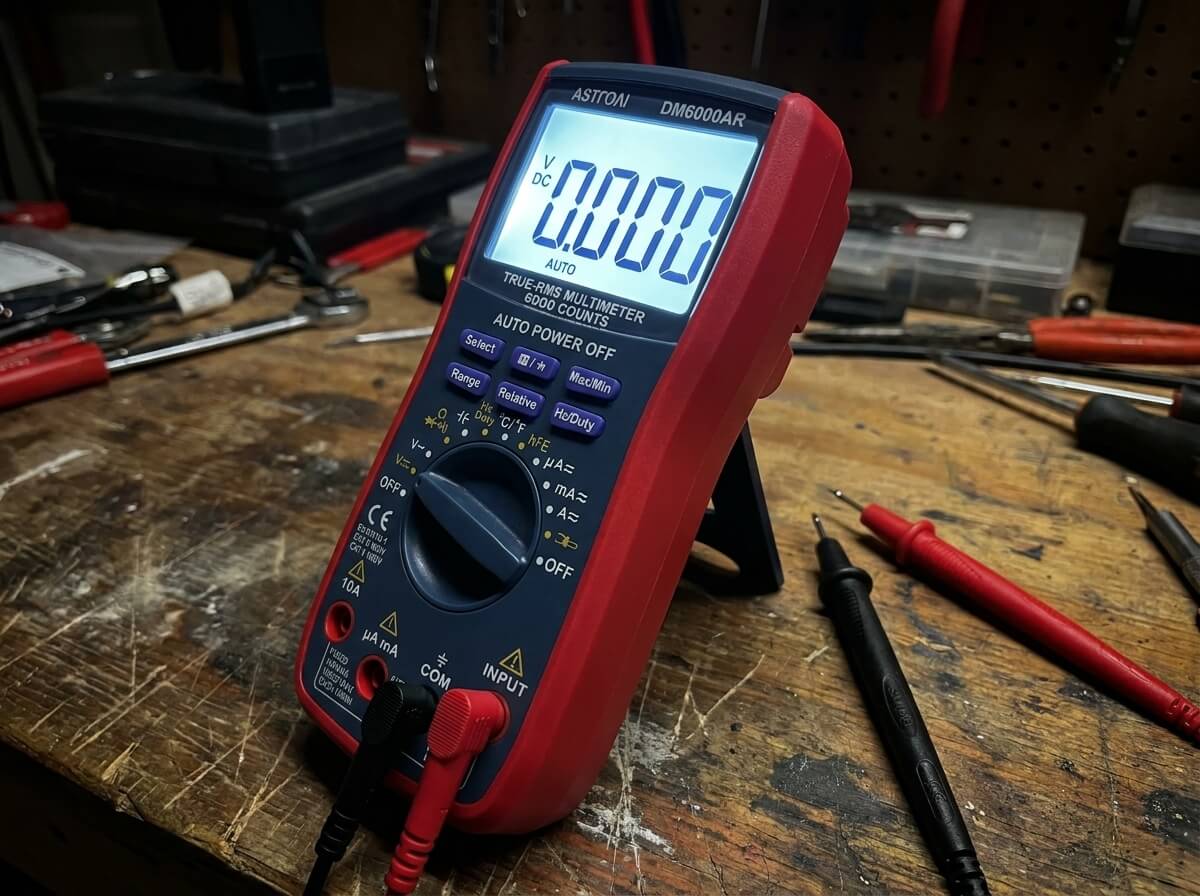
Check Price on Amazon As an Amazon Associate I earn from qualifying purchases.You can read the screen fast when it sits at a good angle. The DM6000AR has a back flip-stand and a Hold/Backlight button.
| Task | How to Set It Up |
| Bench tests | Flip out the back stand to tilt the screen up |
| Dark work spots | Hold the Hold/Backlight button to turn the light on or off |
| Saving a number | Tap Hold to freeze the number on the screen |
The manual also lists a magnet strap. Check your box to see if your kit has one.
Common Mistakes and Safety Limits
Deal
Black Friday 2026
Black Friday Sale is LIVE! Don't miss out on today's deals.
Check Price on Amazon As an Amazon Associate I earn from qualifying purchases.
Deal
Black Friday 2026
Black Friday Sale is LIVE! Don't miss out on today's deals.
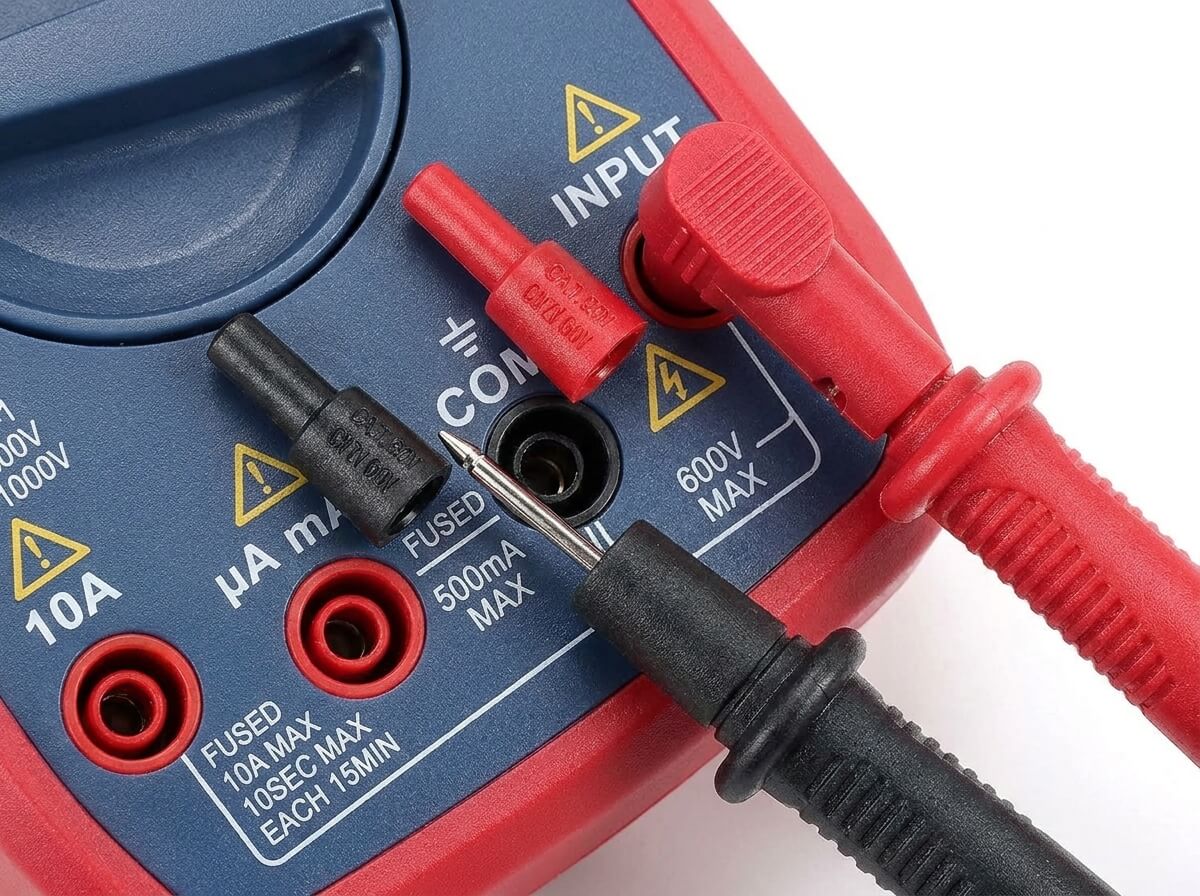
Check Price on Amazon As an Amazon Associate I earn from qualifying purchases.Always use the right plug hole and dial spot. Follow the safe test steps. The CAT safety rating must also match the wire and work space.
Follow the maker’s rules and the NFPA 70E safety guide when you work near live wires.
| Common Mistake | Better Way |
| Using probe caps wrong | Follow the probe guide. Keep your fingers behind the finger guards |
| Testing high amps too long | Above 5A, test for less than 10 seconds. Wait 15 minutes before the next test |
| Turning the dial mid-test | Pull the probes off the wire before you turn the dial |
| Plugging the adapter in backward | Match the plug marks to COM and INPUT, just like the manual shows |
| Using the wrong amp hole | Check the expected amps first, then pick the right plug hole |
Never go past the meter’s volt or amp limits. A high CAT rating does not make every test safe. Wrong hookups can break the meter or hurt you badly.
Fixing Common Quirks in This AstroAI Digital Multimeter Review
Each test mode works in its own way. Volts and ohms pick the range for you. For amp tests, you must pick the range and plug hole yourself.
The beep sounds when resistance is under 30Ω. Between 30Ω and 70Ω, it may or may not beep. Above 70Ω, it stays quiet.
| What You See | Why It Happens and How to Fix It |
| Screen shows “OL” | The wire path is broken, or the number is too high for the range. Check the leads and range |
| Low-volt number jumps around | Wires nearby can mess with the meter. Test a known good source to check the meter |
| Amp reading stays at 0.00 | Check your setup. If it is right, unhook the meter safely and check the fuse |
| Low-battery icon shows up | Put in a fresh 9V battery as the manual shows |
| No beep sound | Resistance is too high. Look at the screen numbers instead of waiting for a beep |
Never test resistance, continuity (beep mode), or capacitance on a live wire. Turn off the power first. Drain stored power from capacitors safely before you touch them with probes.
Fuse Sizes and Safe Care
The main manual lists an F500mA/600V fuse for the low-amp hole and an F10A/600V fuse for the 10A hole. Another DM6000AR manual listing shows a 400mA fuse for the low-amp side.
Always check your meter’s manual and match the rating on the old fuse before you put in a new one. These fuses help block some amp spikes. They cannot stop every shock or fix a bad hookup.
Follow the OSHA electrical safety guide and the maker’s book when you work on wires.
| Care Step | How It Helps |
| Use the Relative (REL) button | Subtracts the test lead resistance to give you a cleaner number |
| Take out the battery before long storage | Stops a leaky battery from ruining the inside of the meter |
| Drain capacitors before testing | Clears out stored voltage so you do not blow the meter or get shocked |
| Put in the exact right fuse | Helps maintain the meter’s specified overcurrent protection |
Frequently Asked Questions
Does the AstroAI 6000-count meter test car batteries and battery drain? Yes. The DC volt mode checks 12V car batteries and alternator charging. The meter also reads DC amps to find a hidden battery drain.
For a drain test, you must hook the meter in series with the circuit. Use the right plug hole and range. Follow your car’s service manual, and never crank the starter while the meter is connected. Never touch the probes straight across a car battery while in amp mode. A wrong connection can blow a fuse, cause a short circuit, ruin the meter, or hurt you.
Why do my probes show no reading in a wall outlet? Make sure the leads are pushed all the way into the right holes. Turn the dial to AC volts. Look for breaks in the wires. Follow the probe guide for any removable probe caps, and keep your fingers behind the guards.
Wall outlets can give you a deadly shock. If the number is still missing or strange, stop right away. Call a trained electrician to check the outlet.
Can this meter test AC unit capacitors and furnace flame sensors? The manual shows a capacitance limit up to 20mF. Check your manual first. Always drain the capacitor before you test it.
The meter also has a microamp (µA) setting and a K-type heat probe. You can use microamps to test many furnace flame sensors. Still, each furnace is built a bit differently. Follow the furnace maker’s test steps.
Does the AstroAI DM6000AR have non-contact voltage (NCV) sensing? No. The manual for this model does not list NCV. You must use the metal probes to check for power unless your unit’s book clearly says it has NCV. Never wave the meter near a wire to check for live power unless you know for sure it has that tool built in.
What battery does the AstroAI 6000-count meter take? It takes one standard 9V battery (type 6F22 or NEDA 1604). Swap it out as soon as you see the low-battery sign on the screen so your readings stay true.
Final Thoughts
This AstroAI Digital Multimeter Review covers the DM6000AR’s screen, True RMS readings, and main test modes. It measures voltage, current, resistance, capacitance, continuity, frequency, and temperature.
Auto range makes volt and ohm checks fast and easy. Amp tests take more care. You have to pick the right range and plug hole yourself. Check your manual for the exact fuse, heat, and safety limits.
Follow the test steps and stay inside the meter’s limits. No fuse or safety rating can save you from every mistake. If your job needs tools this meter lacks, buy a meter built for that job.