
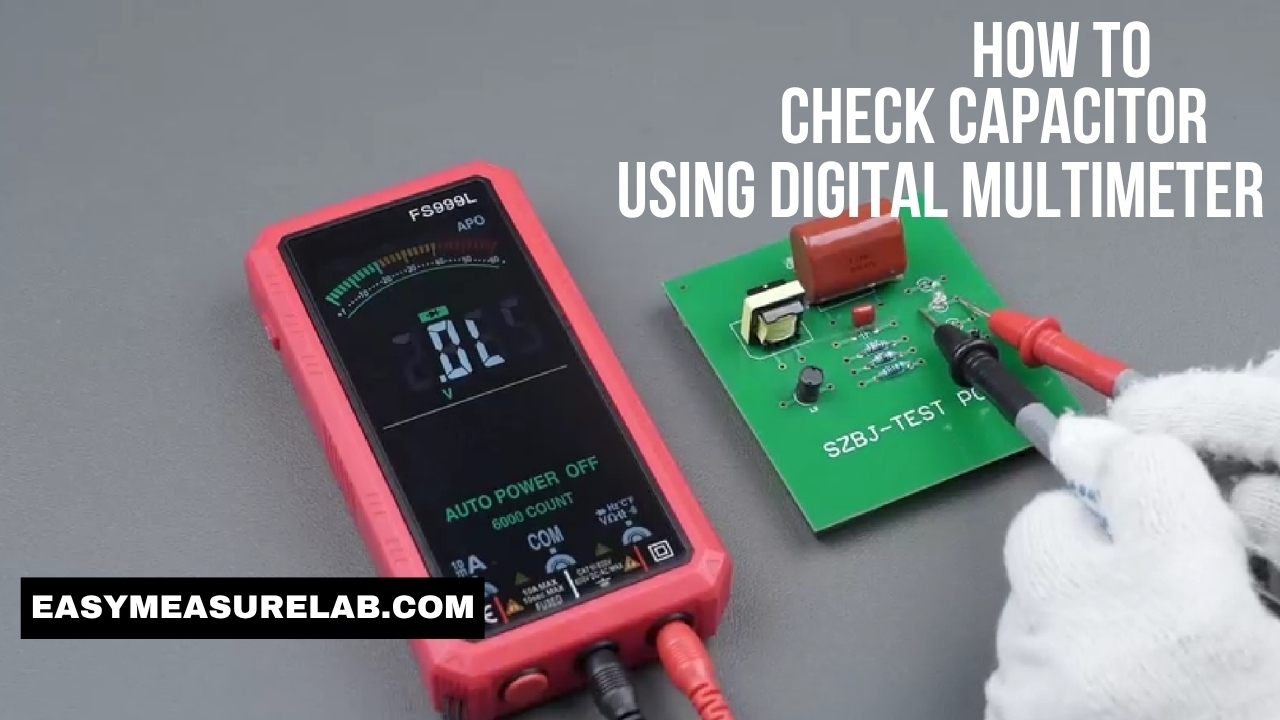
My house got very hot last year. The big fan outside broke. It did not spin at all. It just made a low hum. I called a man to fix it. He did the job in five minutes. He used a small test tool. He knew exactly how to check capacitor using digital multimeter.
Black Friday 2026
Black Friday Sale is LIVE! Don't miss out on today's deals.
Check Price on Amazon As an Amazon Associate I earn from qualifying purchases.I felt a little silly that day. I had a good test meter in my own garage. I just never took the time to learn this skill. A bad part is the top reason why air conditioners fail. That hot day changed my habits. I started to fix my own things. Now, I want to show you how to do this. It is safe. It is fast. It is very easy to learn.
Why This Skill Will Save You Money
This simple skill keeps cash in your pocket. It is the best trick you can learn.
Black Friday 2026
Black Friday Sale is LIVE! Don't miss out on today's deals.
Check Price on Amazon As an Amazon Associate I earn from qualifying purchases.Most people throw away a good fan when it stops. They think the big motor is dead. A new motor costs a lot of cash. But most of the time, the motor is fine. The real problem is just a tiny, cheap part. If you test this part, you can fix the fan fast. A new part costs about five dollars.
Black Friday 2026
Black Friday Sale is LIVE! Don't miss out on today's deals.
Check Price on Amazon As an Amazon Associate I earn from qualifying purchases.I love to fix my home fans now. I do not throw them in the trash. I find the bad part. I put a new one in. The fan spins like new. You do not need to pay a pro for this. You can do it yourself.
| Bad Choice | Good Choice | Result |
| Throw fan away | Test the parts | Save full cost |
| Call a pro | Buy a five dollar part | Save repair fee |
| Guess the problem | Use your test meter | Fix it right |
The Hidden Danger of Stored Power
You must respect electric power. It can hurt you if you do not follow rules.
These parts are like fast batteries. They store up a huge electric charge. You must unplug your fan from the wall first. But the part inside can still hold a big shock. The power stays inside for a long time. I learned this the hard way. I touched the metal prongs once. I got a very bad zap.
You must stay safe. Always work slow. Never rush a job with wires. Do not touch metal with your bare skin. Keep your hands dry. Water and power are a bad mix. If the floor is wet, stop working. Dry the floor first.
How to Empty the Power Safely
You must drain the power before you touch the part. This is the top rule.
To drain it means to let the power out safely. You do this so the part cannot shock you. I never skip this step. You need a big tool for this. Grab a flat screwdriver. It must have a thick rubber handle. Do not use a cheap tool. Hold the rubber handle tight. Keep your bare hands away from the metal stick.
Put the metal stick across both metal prongs on the top. Touch both prongs at the exact same time. You might see a bright flash. You might hear a loud pop. Do not jump. Do not drop the tool. This is a good thing. It means the stored power just left the part. Hold the stick there for five long seconds. The safe way to drain the part is to always use a good tool. Now, the part is safe to hold.
| Step | Tool to Use | Why Do It? |
| Pull wall plug | Your hands | Stops all new power |
| Cross the prongs | Rubber screwdriver | Drains old power out |
| Wait five seconds | A slow count | Makes sure it is safe |
Read the Small Label First
Every part has a small label printed on it. You must read this tag.
The label tells you what the part does. It tells you the numbers you need to find. If you do not read it, your test means nothing. The text is often very tiny. I take a picture of the tag with my phone. Then I zoom in to read it.
Look for a number next to the letters “uF”. This stands for microfarads. This shows the size of your part. Your tag might say 40 uF. This is your target score. You will also see a percent sign. It might say 5%. This is your safe wiggle room. It means the part is still good if the score is a little high or low.
The Best Way: Using the Farad Mode
This is the top way to test. It gives you an exact score.
Most modern meters have a special mode for this job. When friends ask me how to check capacitor using digital multimeter, I point to this mode. It takes away all the guesswork.
Look at the big dial on your meter. Look for a small sign with two straight lines. This is the Farad mode. Turn your dial to this sign. If your tool does not have this sign, you might need a new one. You can check out our list of best tools for your house to find a good one.
Now, plug your wires into the meter. Plug the black wire into the COM hole. Plug the red wire into the main hole.
Touch the Metal Prongs
Make sure you took the part out of the fan. You cannot test it while wires are on it. Pull the fan wires off first.
Touch the red tip to one metal prong. Touch the black tip to the other prong. It does not matter which tip goes to which side. Hold your hands very still. Give the meter time to think. It might take five slow seconds.
Soon, a clear number will pop up on the screen. Look at this new number. Compare it to the number on the tiny tag. The best way to read the score is to check the math. If the tag says 40, a score of 39 is great. The part is fully healthy.
| Screen Score | What It Means | Next Step |
| Matches the tag | Part is very healthy | Put it back in |
| Way too low | Part is weak | Buy a new one |
| Says OL on screen | Part is fully dead | Throw it away |
How to Check Capacitor Using Digital Multimeter with Ohms
You can still test your part with a basic meter. You just use Ohms.
This is the backup test. It does not give you a perfect score. But it tells you if the part is totally dead. This is how to check capacitor using digital multimeter if your tool is old.
Turn the big dial to the Ohms sign. It looks like a small horseshoe. Touch the metal tips to the prongs on the part. Watch the meter screen very closely.
A healthy part will start at a low number. Then the number will jump up fast. It will climb high. It will stop when the screen says “OL”. This is a good sign. It means the meter is filling the part with test power. The part can still hold a charge.
| Meter Screen | Part Health | Final Choice |
| Numbers climb up | Part takes power | Good to use |
| Stays at a zero | Wires are touching | It is bad |
| Says OL right away | Wires are broken | It is dead |
Want to check it twice? Swap the red and black tips. The numbers should drop down, then climb right back up. This proves the part works.
Look for Bad Signs with Your Eyes
Sometimes you do not need a tool. Your eyes can spot the problem fast.
Before I use my meter, I look at the part closely. A good part looks perfect. It is a smooth metal can. The top is very flat. The sides are clean.
But heat ruins these parts. If the part gets too hot, the inside boils. It builds up bad gas. This gas pushes the metal top out. The flat top turns into a fat dome. It looks like a swollen soda can.
If you see a fat top, stop your work. The part is broken. You do not need to test it. Throw it in the trash bin. You might also see oil leaking out. The oil might smell bad. This is also a dead part. You can read about spotting dead parts on boards if you want to learn more.
Big Mistakes I Made as a Beginner
We all mess up when we learn a new thing. I made a lot of errors.
I want to share them so you do not do them. Knowing how to check capacitor using digital multimeter means knowing what not to do.
My top mistake was touching the metal tips. I would press the sharp tips with my bare thumbs. Your human body holds a small charge. Your skin has electric drag. If you touch the metal tips, the meter gets confused. It reads your body. It does not read the part.
You must hold the plastic handles only. Keep your skin far away from the metal.
| Bad Habit | What Happens | How to Fix It |
| Touch metal tips | Meter reads your skin | Hold plastic only |
| Test with fan wires on | Get a wrong score | Pull fan wires off |
| Move hands too fast | Screen goes blank | Hold hands very still |
I also used to rush the test. I would touch the prongs for one second. The screen would flash. I would pull away. The meter needs time. You must hold still for five whole seconds. Let the tool do its job.
Start Parts vs Run Parts
You will find two main kinds of these parts in your house.
They look different. They do different jobs. But the good news is great. You test both of them the exact same way. This makes your job very simple.
Start parts give a huge push of power. They wake up a heavy motor. They run for just one second. Then they shut off. They are often wrapped in hard black plastic.
Run parts keep the power smooth. They stay on the whole time. They help the motor run cool. They look like shiny silver cans. Both kinds break down over time. Read about keeping your run parts safe to help them last longer.
Final Thoughts
This simple test is a great skill to own. It helps you fix big things for very cheap. It takes the fear out of broken house items.
Just remember the safe steps. Pull the plug. Drain the old power. Read the small tag. Test with your tool. Keep your hands steady. If you learn how to check capacitor using digital multimeter, you will save a lot of cash this year. Take your time, stay safe, and enjoy fixing things.
Frequently Asked Questions
Can I test it while plugged into the wall?
No. You must pull the plug out first. You must pull the wires off the part. Testing a live part is bad. It will break your meter. It can hurt you.
What does the OL on the screen mean?
It means Open Line. If you test in Ohms mode, seeing OL at the end is a good sign. If you use Farad mode, seeing OL right away means the part is dead.
Do I need a big expensive tool for this?
No. You do not need a costly tool. Any basic digital meter with a Farad mode will work. You can buy a great one for thirty dollars.
How long do these small parts last?
Most parts will last five to ten years. Heat is their big enemy. A hot summer day can break an old part fast.
Is it okay if my score is a little bit low?
Yes. Every part has a safe zone. This is the percent on the tag. If the tag says 40, a score of 38 is perfectly fine to use.